 Dell 27 Plus (S2725HSM)
 Alienware AW2525HM
The Best Monitors for 2026
Nine computer monitors that leading expert reviewers recommend and that you can buy on Amazon from the brand or Amazon.com, from a sub-$200 office screen to 4K OLED gaming and ultrawide picks, with the price we checked today.
By the Essentials team · Updated Nov 16, 2026 · Prices checked Nov 16, 2026, 12:54 PM PT
How this list was made: This list was narrowed down from 58 monitors recommended by 7 leading expert reviewers (64 recommendations in total), then compared on how many experts named each one, screen size, resolution, refresh rate, ports, price and whether Amazon.com or the brand’s own Amazon store sells it. We did not lab-test these monitors ourselves.
Expert sites checked: Engadget, PCMag, TechRadar, Tom's Guide, Tom's Hardware, WIRED and Wirecutter (NYT). See how we chose.
There are thousands of monitors, so we let the experts narrow it down. We read the current monitor guides of 7 major tech review sites, wrote down every monitor they recommend, and counted how many sites named each one. Then we checked each finalist on Amazon for a real price and seller.
Monitor reviewers agree less than in most categories: the 7 sites named 58 different monitors, and only five were named by more than one site. So our list takes the strongest pick for each need (home office, budget, small desks, gaming, Mac-sharp 5K, ultrawide and portable) from the sites’ own top picks, and tells you who recommended each one.
Quick picks


Amazon prices checked Nov 16, 2026, 12:54 PM PT. Prices change often.
On this page
- Best For Most People: Dell 27 Plus 4K (S2725QS)
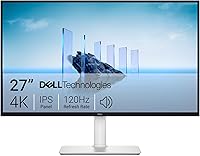
- Best Budget: Dell 27 Plus (S2725HSM)
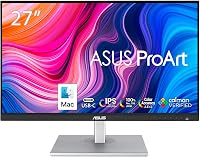
- Best 24-Inch Monitor: ASUS ProArt PA248CRV
- Best Smart Monitor: Samsung Smart Monitor M9
- Best 4K Gaming Monitor: MSI MPG 321URXW QD-OLED
- Best Budget Gaming Monitor: Alienware AW2525HM
- Best 5K Monitor: ASUS ROG Strix XG27JCG
- Best Ultrawide Monitor: LG UltraGear 45GX950A-B
- Best Portable Monitor: Arzopa Z1FC
- Comparison table
- Best monitor by need: home office, budget, gaming, 4K, Mac, portable
- Also recommended by experts
- How we chose
- Buying guide
- FAQ
More Best Of guides
- Best Laptops for 2026
- Best Cat Litter for 2026
- Best TVs for 2026
- Best Headphones for 2026
- Best Earbuds for 2026
- Best iPads for 2026
- Best Shampoo for 2026
- Best Vacuums for 2026
- Best Mattresses for 2026
- Best Pillows for 2026
- Best Air Fryers for 2026
- Best Printers for 2026
- Best Dog Food for 2026
- Best Toothpaste for 2026
- Best Moisturizers for 2026
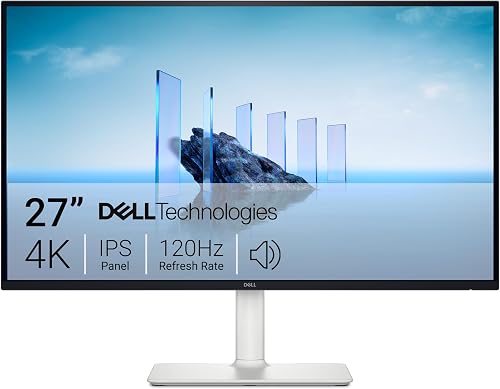
Dell 27 Plus 4K Monitor S2725QS, 27-inch 4K UHD IPS, 120Hz

#1 · BEST FOR MOST PEOPLE
Dell 27 Plus 4K Monitor (S2725QS)
Recommended by 1 of the 7 expert sites we checked: WIRED.
27-inch 4K (3840 x 2160) IPS panel · up to 120Hz with AMD FreeSync Premium · 99% sRGB · built-in speakers · 2 HDMI + 1 DisplayPort (per Dell) · 27-inch listing linked · Sold by Amazon.com
Why it made our list
WIRED calls the Dell 27 Plus 4K the monitor most people should buy, and it is easy to see why. You get a sharp 4K picture on a 27-inch screen, a smooth 120Hz refresh rate and good color for well under $300, which used to be the price of a plain 1080p screen. The one catch is ports: there is no USB-C, so a MacBook Air or other USB-C-only laptop needs an adapter or dock.
Who it is for: Anyone who wants a sharp, all-purpose 27-inch monitor for work, browsing and streaming without spending much.
Pros
- Named by 1 of the 7 expert sites we read
- Sharp 4K picture for the price
- Smooth 120Hz refresh rate
- Sold by Amazon.com
Cons
- Only one expert site named it
- No USB-C or USB hub
- Built-in speakers are basic

Dell 27 Plus Monitor S2725HSM, 27-inch FHD, 144Hz
#2 · BEST BUDGET
Dell 27 Plus Monitor (S2725HSM)
Recommended by 1 of the 7 expert sites we checked: WIRED.
27-inch Full HD (1920 x 1080) panel · 144Hz refresh rate · dual 3W speakers · height, tilt, swivel and pivot adjustable stand · TÜV eye-comfort certified (per Dell) · 27-inch listing linked · Sold by Amazon.com
Why it made our list
In WIRED’s roundup of cheap monitors that are actually good, the Dell 27 Plus stood out for its 144Hz refresh rate, which makes scrolling and light gaming feel smoother than on most budget screens. It also has a fully adjustable stand, something many monitors at this price skip. The trade-off is resolution: 1080p on a 27-inch screen looks softer than the 4K model above, so text is less crisp.
Who it is for: Students, second-screen setups and anyone who wants a big, comfortable monitor for under $200.
Pros
- Named by 1 of the 7 expert sites we read
- 144Hz refresh rate
- Height-adjustable stand
- Sold by Amazon.com
Cons
- Only one expert site named it
- 1080p looks soft at 27 inches
- No USB-C

ASUS ProArt Display PA248CRV, 24.1-inch WUXGA, USB-C
#3 · BEST 24-INCH MONITOR
ASUS ProArt Display PA248CRV
Recommended by 1 of the 7 expert sites we checked: Wirecutter (NYT).
24.1-inch 16:10 WUXGA (1920 x 1200) IPS · 97% DCI-P3, factory calibrated Delta E < 2 · USB-C with 96W charging + USB hub · tilt, swivel, pivot and height stand (per ASUS) · Sold by Amazon.com · Sold by Amazon.com
Why it made our list
Wirecutter picks the ASUS ProArt PA248CRV as its best 24-inch monitor. It suits smaller desks and bright rooms, and its taller 16:10 screen shows more of a document or spreadsheet than a standard 1080p panel. A single USB-C cable can carry the picture and charge a laptop with up to 96W, and the built-in USB hub keeps a webcam, keyboard and mouse plugged into the monitor.
Who it is for: People with small desks or one-cable laptop setups who want accurate color in a compact size.
Pros
- Named by 1 of the 7 expert sites we read
- USB-C with 96W laptop charging
- Factory-calibrated color
- Sold by Amazon.com
Cons
- Only one expert site named it
- Not 4K
- Too small for side-by-side windows all day

Samsung 32-inch OLED M9 (M90SF) Smart Monitor, 4K QD-OLED, 165Hz
#4 · BEST SMART MONITOR
Samsung Smart Monitor M9 (M90SF)
Recommended by 2 of the 7 expert sites we checked: PCMag and WIRED.
32-inch 4K QD-OLED · 165Hz, 0.03ms · built-in streaming apps, Samsung TV Plus and Gaming Hub · burn-in protection features · 3-year warranty (per Samsung) · 32-inch listing linked · Sold by Amazon.com
Why it made our list
The Samsung Smart Monitor M9 is the only monitor we found that two of the 7 sites recommend and that Amazon.com sells: PCMag calls it the best smart monitor, and WIRED includes it in its picks. It is really two things in one: a 32-inch 4K OLED monitor with deep blacks and rich color, and a smart TV that can stream apps and cloud games with no computer attached. It is expensive, so it makes the most sense if it will replace both a monitor and a small TV.
Who it is for: People who want one gorgeous screen for work, movies and cloud gaming, especially in a small room or dorm.
Pros
- Named by 2 of the 7 expert sites we read
- Stunning 4K OLED picture
- Streams apps without a PC
- Sold by Amazon.com
Cons
- Expensive
- OLED can risk burn-in with static images
- Smart features add menus some people never use
Best gaming monitors
These three are built for speed: high refresh rates for smooth motion, plus fast response times so moving objects stay sharp.

MSI MPG 321URXW QD-OLED 31.5-inch 4K UHD Gaming Monitor, 240Hz
#5 · BEST 4K GAMING MONITOR
MSI MPG 321URXW QD-OLED
Recommended by 1 of the 7 expert sites we checked: Tom's Guide.
31.5-inch 4K QD-OLED · 240Hz, 0.03ms · 99% DCI-P3, DisplayHDR True Black 400 · HDMI 2.1, DisplayPort 1.4a, USB-C with 90W charging (per MSI) · 32-inch listing linked · Sold by Amazon.com
Why it made our list
Tom’s Guide names the MSI MPG 321URXW its best 4K monitor and “one of the finest 4K gaming monitors you can find.” It pairs a sharp 4K OLED panel with a very fast 240Hz refresh rate, so games look both detailed and smooth, and its HDMI 2.1 ports suit a PS5 or Xbox too. USB-C with 90W charging also makes it a good work screen for a laptop.
Who it is for: PC and console gamers who want a big, sharp OLED that is also good for everyday work.
Pros
- Named by 1 of the 7 expert sites we read
- 4K and 240Hz together
- HDMI 2.1 for consoles
- Sold by Amazon.com
Cons
- Only one expert site named it
- Pricey
- Amazon showed only a few left in stock when we checked

Alienware 25 Gaming Monitor AW2525HM, FHD IPS, 320Hz
#6 · BEST BUDGET GAMING MONITOR
Alienware AW2525HM
Recommended by 1 of the 7 expert sites we checked: Tom's Guide.
24.5-inch Full HD (1920 x 1080) Fast IPS · 320Hz, 0.5ms · G-SYNC Compatible and FreeSync Premium · 99% sRGB (per Dell) · Sold by Amazon.com · Sold by Amazon.com
Why it made our list
Tom’s Guide picks the Alienware AW2525HM as its best 1080p monitor, praising its 320Hz refresh rate, accurate color and value for money. A 1080p screen is easy for almost any graphics card to drive at very high frame rates, which is what fast shooters and esports games need. It also works well as an office screen when you are not gaming.
Who it is for: Competitive and budget gamers who care more about speed than resolution.
Pros
- Named by 1 of the 7 expert sites we read
- Very fast 320Hz refresh rate
- Accurate color for the price
- Sold by Amazon.com
Cons
- Only one expert site named it
- 1080p is less sharp than QHD or 4K
- Not ideal for movies or photo work

ASUS ROG Strix XG27JCG 27-inch 5K 180Hz Gaming Monitor
#7 · BEST 5K MONITOR
ASUS ROG Strix XG27JCG
Recommended by 1 of the 7 expert sites we checked: Wirecutter (NYT).
27-inch 5K (5120 x 2880) at 218 PPI · 180Hz (OC), or QHD at 330Hz · DisplayHDR 600, 97% DCI-P3 · DisplayPort 1.4, 2x HDMI 2.1, USB-C (per ASUS) · Sold by Amazon.com · Sold by Amazon.com
Why it made our list
Wirecutter recommends the ASUS ROG Strix XG27JCG for high-resolution gaming and work. Its 5K panel packs as many pixels per inch as Apple’s Studio Display, so text and photos look razor sharp, and it can switch to a lower resolution at 330Hz for fast games. That makes it one monitor that can handle a long workday and an evening of gaming.
Who it is for: People who want the sharpest 27-inch screen for work and still want fast gaming.
Pros
- Named by 1 of the 7 expert sites we read
- Razor-sharp 5K text
- Dual mode up to 330Hz
- Sold by Amazon.com
Cons
- Only one expert site named it
- Expensive for a 27-inch
- Full 5K gaming needs a powerful PC
Best ultrawide and portable monitors
Need more screen? Go wide with one giant curved display, or take a second screen with you wherever you work.

LG UltraGear 45GX950A-B 45-inch 5K2K Curved OLED Monitor
#8 · BEST ULTRAWIDE MONITOR
LG UltraGear 45GX950A-B
Recommended by 1 of the 7 expert sites we checked: TechRadar.
45-inch curved 5K2K (5120 x 2160) OLED · 165Hz, or WFHD at 330Hz · up to 1300 nits peak, 98.5% DCI-P3 · DisplayPort 2.1 (per LG) · Sold by Amazon.com · Sold by Amazon.com
Why it made our list
TechRadar names the LG UltraGear 45GX950A-B its best ultrawide monitor and calls it “a triumph.” The huge curved OLED screen is as wide as two monitors side by side, with enough resolution for several windows at once, and it wraps around your view in racing and open-world games. It needs a deep desk and a powerful PC to get the most from it.
Who it is for: Gamers and multitaskers who want one giant curved screen instead of two monitors.
Pros
- Named by 1 of the 7 expert sites we read
- Huge, sharp curved OLED
- Dual mode up to 330Hz
- Sold by Amazon.com
Cons
- Only one expert site named it
- Very expensive
- Takes up a lot of desk space

ARZOPA Z1FC 16.1-inch 144Hz Portable Monitor
#9 · BEST PORTABLE MONITOR
Arzopa Z1FC Portable Monitor
Recommended by 1 of the 7 expert sites we checked: Wirecutter (NYT).
16.1-inch Full HD IPS · 144Hz · 106% sRGB · built-in kickstand · 2 USB-C + mini HDMI (per Arzopa) · Sold by ARZOPA Store (Arzopa’s Amazon store), shipped by Amazon · Sold by ARZOPA Store
Why it made our list
Wirecutter calls the Arzopa Z1FC “a surprisingly good portable monitor.” It is thin and light enough to slip into a laptop bag, props itself up on a built-in kickstand, and can run from a single USB-C cable on many laptops, giving you a second screen anywhere. Its 144Hz refresh rate also makes it a fun travel screen for a Steam Deck or console.
Who it is for: Travelers, students and remote workers who want a second screen on the go.
Pros
- Named by 1 of the 7 expert sites we read
- Light, with a built-in kickstand
- Lowest price on this page when we checked
- Sold by Arzopa’s own Amazon store
Cons
- Only one expert site named it
- Not as bright as a desk monitor
- Speakers and stand are basic
Best monitors 2026 comparison table
| Monitor | Screen | Refresh rate | Best for | Expert lists | Amazon price |
|---|---|---|---|---|---|
| Dell 27 Plus 4K (S2725QS) Best For Most People | 27" 4K IPS | 120Hz | Home office, everyday use | 1 of 7 | $279.99 Amazon |
| Dell 27 Plus (S2725HSM) Best Budget | 27" 1080p | 144Hz | Tight budgets | 1 of 7 | $174.99 Amazon |
| ASUS ProArt PA248CRV Best 24-Inch Monitor | 24" 1920x1200 IPS | 75Hz | Small desks, laptops | 1 of 7 | $199.00 Amazon |
| Samsung Smart Monitor M9 Best Smart Monitor | 32" 4K QD-OLED | 165Hz | Work + streaming in one | 2 of 7 | $1,299.99 Amazon |
| MSI MPG 321URXW QD-OLED Best 4K Gaming Monitor | 32" 4K QD-OLED | 240Hz | PC and console gaming | 1 of 7 | $867.99 Amazon |
| Alienware AW2525HM Best Budget Gaming Monitor | 25" 1080p IPS | 320Hz | Competitive gaming | 1 of 7 | $189.99 Amazon |
| ASUS ROG Strix XG27JCG Best 5K Monitor | 27" 5K | 180Hz (330Hz at QHD) | Sharp text + gaming | 1 of 7 | $710.99 Amazon |
| LG UltraGear 45GX950A-B Best Ultrawide Monitor | 45" curved 5K2K OLED | 165Hz (330Hz dual mode) | Immersive gaming, multitasking | 1 of 7 | $1,499.99 Amazon |
| Arzopa Z1FC Best Portable Monitor | 16.1" 1080p IPS | 144Hz | Travel, second laptop screen | 1 of 7 | $109.99 Amazon |
Prices checked Nov 16, 2026, 12:54 PM PT for the exact listing linked. Screen, refresh-rate and port details are the makers’ claims from the Amazon listings; prices are for the exact listing linked.
Best monitor by need: home office, budget, gaming, 4K, Mac, portable
Best monitor for a home office
For most home offices, a 27-inch 4K screen is the sweet spot. The Dell 27 Plus 4K was WIRED’s pick for most people; if your laptop charges over USB-C and you want one-cable setup, the ASUS ProArt PA248CRV does that in a smaller size.
Best budget monitor
The Dell 27 Plus (S2725HSM) gives you a big 144Hz screen and an adjustable stand for under $200, and the Dell 27 Plus 4K adds a much sharper picture for about $100 more.
Best gaming monitor
For fast shooters on a budget, the 320Hz Alienware AW2525HM. For gorgeous 4K games on a PC or console, the MSI MPG 321URXW. For immersion, the curved LG UltraGear 45GX950A-B.
Best 4K monitor
The Dell 27 Plus 4K is the value pick, the MSI MPG 321URXW is the 4K OLED for gaming, and the Samsung M9 is a 4K OLED that doubles as a smart TV.
Best monitor for a MacBook
Macs look best on very sharp screens. The 5K ASUS ROG Strix XG27JCG matches the pixel density of Apple’s own displays, and the ASUS ProArt PA248CRV charges a MacBook over one USB-C cable.
Best portable monitor
The Arzopa Z1FC was Wirecutter’s portable pick: a light 16-inch screen with a kickstand that runs from USB-C.
Also recommended by experts
These monitors were recommended by two or more expert sites but are not among our picks, because Amazon.com or the brand’s own Amazon store was not selling them when we checked.
- BenQ GW2486TC: named by 3 of 7 sites (PCMag, TechRadar, Wirecutter (NYT)). The most-recommended monitor in our pool (Wirecutter’s budget pick, TechRadar’s best budget and PCMag’s best budget home-office monitor). Its Amazon listing (B0D2RT21YQ) showed no featured offer and no buy-box price when we checked at 12:41 PM PT, so we did not link it.
- Alienware AW2726DM: named by 2 of 7 sites (Tom's Guide, Wirecutter (NYT)). Wirecutter’s gaming pick and Tom’s Guide’s best value. We found no Amazon listing for it; Dell sells it directly.
- Alienware AW2725D: named by 2 of 7 sites (Engadget, Tom's Guide). We found no Amazon listing for this model (Amazon carries the related AW2725DF, which only Engadget named).
- Alienware 39 5K2K OLED (AW3926QW): named by 2 of 7 sites (PCMag, Tom's Guide). We found no Amazon listing for it; Dell sells it directly.
Every other monitor in the pool was named by just one site, including picks from Dell UltraSharp, HP, MSI, BenQ, Samsung Odyssey and Apple. Several (such as the Dell UltraSharp U2725QE and U3425WE) were on Amazon only from third-party resellers, so we did not link them.
How we chose
Step 1, the expert pool. On Nov 16, 2026 we read the current best-monitor guides from Engadget, PCMag, TechRadar, Tom's Guide, Tom's Hardware, WIRED and Wirecutter (NYT). Together they make 64 recommendations covering 58 different monitors. We read each site’s main best-monitor guide and counted a monitor once per site. Different model numbers count as different monitors (for example, Alienware AW2725D and AW2725DF). We counted only each site’s named picks, and left out PCMag’s pen display for artists (Wacom Cintiq Pro 27). CNET’s monitor page was not counted because it dates from 2023, RTINGS loads its picks with JavaScript we could not read, and Business Insider had no current general monitor guide.
Step 2, consensus. We counted how many sites named each monitor. The BenQ GW2486TC was named by three sites, and the Alienware AW2726DM, Alienware AW2725D, Alienware AW3926QW and Samsung Smart Monitor M9 by two. Everything else was named once.
Step 3, can you buy it on Amazon? We opened each finalist’s Amazon page and read the title, model number, price and seller. We only link listings sold by Amazon.com or by the brand’s own Amazon store; models offered only by third-party resellers, or not sold on Amazon at all, went to the “also recommended” list. Prices on this page are the ones we read at Nov 16, 2026, 12:54 PM PT.
Step 4, cover real needs. We kept every monitor named by two or more sites that Amazon.com or the brand sells (only the Samsung M9 qualified), then added the top pick for each need from Wirecutter, WIRED, Tom’s Guide and TechRadar. Every description on this page is our own.
What we did not do: we did not lab-test these monitors, and we do not repeat other sites’ scores. Picture quality, refresh-rate and port claims come from the expert reviews and the makers.
Monitor buying guide
Size and resolution
Match resolution to size: 1080p is fine up to 24 inches, 1440p (QHD) suits 27 inches, and 4K looks sharp at 27 to 32 inches. 5K and 6K screens are sharper still and pair well with Macs.
Panel type
IPS panels have accurate color and wide viewing angles and suit most people. OLED and QD-OLED have perfect blacks and very fast response but cost more. VA panels have high contrast and are common in curved monitors.
Refresh rate
60Hz is the minimum. 100Hz to 120Hz makes everyday scrolling smoother, and gamers should look for 144Hz to 240Hz or more.
Ports
USB-C with power delivery lets one cable carry the picture and charge a laptop. Check that the monitor has the ports your computer or console uses, such as HDMI 2.1 for a PS5 or Xbox.
Stand and ergonomics
A stand that adjusts height, tilt and swivel helps your neck and back. Otherwise, check for a VESA mount so you can add a monitor arm later.
Ultrawide and curved
Ultrawide screens replace two monitors with one and are great for multitasking and immersive games, but they need a deep, wide desk and a capable graphics card.
Best monitors FAQ
What is the best monitor in 2026?
For most people, the Dell 27 Plus 4K (S2725QS): it is sharp, smooth and costs under $300. Monitor experts disagree more than most: the 7 sites we read named 58 different monitors, and only five were named by more than one site.
What size monitor should I get?
A 27-inch screen suits most desks and is the best all-round size. Choose 24 inches for small desks, 32 inches if you sit a little farther back or want more space, and an ultrawide if you want the space of two monitors in one.
Is 4K worth it on a 27-inch monitor?
Yes, for work. Text and photos look much sharper than at 1080p or 1440p, and 4K monitors like the Dell 27 Plus 4K now cost under $300. For fast gaming on a modest PC, a lower resolution with a higher refresh rate can be the better choice.
What refresh rate do I need?
For office work, 60Hz to 120Hz is fine, and 120Hz feels smoother when you scroll. Gamers benefit from 144Hz or more; competitive players often choose 240Hz or higher.
Are OLED monitors worth it?
OLED monitors have perfect blacks, rich color and very fast response times, which look great in games and movies. They cost more and can risk burn-in if the same image stays on screen for many hours, so most include protection features.
Why is my favorite monitor not on this list?
We only link monitors sold on Amazon by Amazon.com or by the brand’s own store. Some expert favorites, such as the BenQ GW2486TC and several Alienware OLEDs, had no Amazon.com offer or no Amazon listing when we checked, so they are in the also recommended section.
Do you test these monitors yourselves?
No. We do not run our own tests. We build our list from what leading expert reviewers recommend, then check each pick on Amazon for a real price and seller.
Expert sites we checked
- Engadget
- PCMag
- TechRadar
- Tom's Guide
- Tom's Hardware
- WIRED
- Wirecutter (NYT)

About the Essentials team
Essentials is a price-comparison site run by Silverback Tech LLC. We compare everyday products across major US stores and show the price we checked and when we checked it. More about us.
Shopping for more tech? Compare High Tech prices or see our best laptops guide.
More best-of guides
Disclosure: Essentials is run by Silverback Tech LLC. As an Amazon Associate we earn from qualifying purchases. This never changes our picks or the price you pay. Product prices and availability are accurate as of the date/time indicated and are subject to change. Any price and availability information displayed on Amazon.com at the time of purchase will apply to the purchase of the product.